Wallet warm-up task
How a warm-up run trades, what it costs, and every setting of the task.
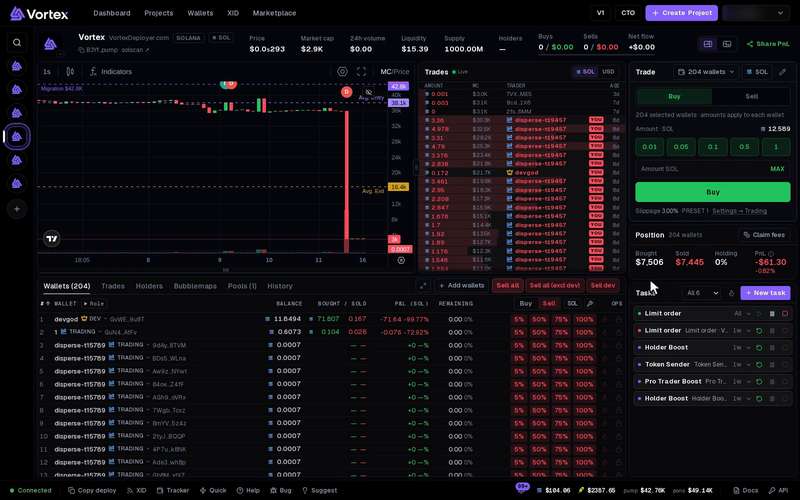
A warm-up gives fresh wallets a trading history. Each wallet makes a few small real trades: it buys a coin, holds it for a short time, then sells it all. Use it before you put new wallets to work, so they do not look brand new. This page explains the task in detail. For the short version, see Wallet warm-up.
Start a warm-up#
You can start it from two places:
- Wallets page: tick the wallets, then click Warm up under Acquire.
- A token's terminal: click the flame button Warm up wallets on the Tasks panel. The warm-up then trades that token only.
Then fill in the Warm up wallets window and press Start warmup. The steps are on Wallet warm-up. The task starts as soon as you confirm.
Warm-ups that are already running show under Running warmups. Click one to open its task card.
How a run works#
- A run is made of cycles. Each cycle makes Trades per cycle buys in total, spread over about 10 minutes.
- The wallets take turns, one buy each. If you pick more wallets than trades per cycle, some wallets wait for the next cycle.
- Each buy is held for a random time inside Hold time (seconds), then fully sold.
- After a cycle, the task waits (one hour by default), then starts the next one. It stops after Cycles (0 = until stopped) cycles.
- With Auto, each buy takes a different live pump.fun coin. A wallet never warms the same coin twice, and two wallets never hold the same coin at once. It only picks coins still under 1.5 times their launch price. If no coin fits, that turn is skipped. On Robinhood it uses new pons coins instead.
Settings#
- Buy per wallet (SOL) — the size of each buy, picked at random in this range. Default 0.01–0.05 SOL. It is per buy, not a total.
- Hold time (seconds) — how long each buy is held before the sell. Default 30–120.
- Trades per cycle — buys per cycle, across all the wallets together. Default 5.
- Cycles (0 = until stopped) — how many cycles to run. Default 1. With 0 it runs until you stop it.
- Stop-loss (%) (Advanced) — sells a held coin early if it falls this far below what it cost. Default 20. 0 = off.
- Look like trading bots (Advanced) — tags each wallet's trades as one of these trading apps: Photon, Trojan, BullX, Axiom or Axiom (2nd fee wallet). Each tagged trade sends a tiny 0.00000001 SOL.
Every buy spends real SOL and every sell is a real trade. Each one pays network fees, the pool's trading fee and the platform fee. The coins are brand new and can drop fast, so many sells bring back less than the buy cost. Plan to lose a little on each trade. Trades that landed cannot be undone. See Real funds & confirms.
A wallet needs enough SOL for its biggest buy plus fees. Fund the wallets first: see Fund wallets.
All settings#
These are the task's own settings, as Edit shows them on its card. The window above sets the main ones; the others keep their defaults.
Every option on the Wallet Warmup form
warmup- Token sourcechoicedefault Auto — fresh pump.fun coins from the warmup cacheAuto picks a different live coin per buy (never one the wallet already warmed, never ≥1.5× its launch price).Auto — fresh pump.fun coins from the warmup cacheThis task’s mint only
- Minimum buy amountnumberdefault 0.01 SOL
- Maximum buy amountnumberdefault 0.05 SOL
- Min holdnumberdefault 30000 ms
- Max holdnumberdefault 120000 ms
- Trades / cyclenumberdefault 5
- Cycle durationnumberdefault 10 min
- Repeat intervalnumberdefault 1 h0 = back-to-back.
- Max cyclesnumberdefault 10 = until stopped.
- Stop-lossnumberdefault 20 %0–100 %Sell a held buy early if its value drops this % below cost. 0 = off.
- Look like trading botschoicesdefaultEvery trade also sends 0.00000001 SOL to the picked bot's fee wallet. Explorers and trackers then label the trade as made through that bot. Each wallet sticks to one bot. Pick none to turn this off.
- Cadence jitternumberdefault 0 %0–90 %Randomize trade spacing by ±this %. 0 = even.
- Trade-count jitternumberdefault 0 %0–90 %Vary each cycle’s trade count by ±this %. 0 = fixed.
- Slippagenumberdefault 5 %0.01–50 %
- Stop after repeated errorsnumberdefault 10