DCA
Buy or sell the same amount of a token on a timer, bit by bit.
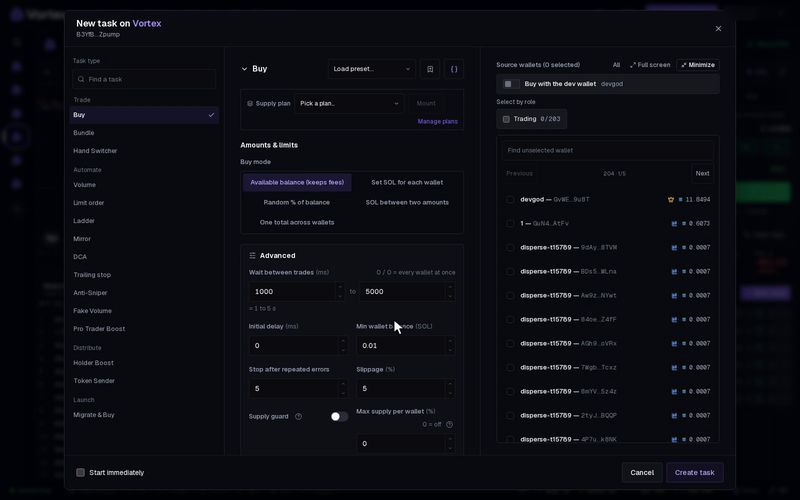
DCA (dollar-cost averaging) buys or sells a fixed amount on a timer. You build or reduce a position bit by bit. No single trade moves the price much, and you get an average price over time.
Set it up#
- Open the token's terminal and click New task on the Tasks panel.
- Under Task type, pick DCA. It is in the Automate group.
- Choose Buy or sell. The default is Buy.
- Set Time between trades in seconds. Default 60.
- Choose the Amount type and the Amount per trade.
- Pick Wallets to use, then tick the wallets in the list.
- Set limits: a Market cap range, a Budget (buys only), Maximum trade rounds or Run for. All are optional, but without one it runs until you stop it.
- Click Create task, or tick Start immediately and click Create & start.
The form and the card work the same for every task: see How tasks run.
How it runs#
- The first trade comes one interval after the start, then one every interval.
- With Timing variation (Advanced), each wait is randomly shorter or longer by up to that many seconds. The wait is never under 1 second.
- Outside your Market cap range, a round is skipped and the timer keeps going.
- If no chosen wallet can trade (no SOL to buy, no tokens to sell), that round does nothing.
- It ends when you stop it, or when it reaches the Budget, the Maximum trade rounds or the Run for time.
Settings that matter#
- Amount type — for a buy: SOL per wallet or % of wallet balance. For a sell: % of tokens held or % of supply.
- Amount per trade — the amount for each wallet on every trade. Default 0.1. A percentage cannot go above 100.
- Wallets to use — the default, Take turns, trades with one wallet each round, the next one each time. Every wallet makes all of them trade every round.
- Minimum market cap and Maximum market cap — trade only inside this range, in USD. Empty = no limit.
- Budget — the most SOL the buys may spend in total. Empty = no limit. It does not limit sells.
- Maximum trade rounds — stop after this many rounds.
- Slippage (Advanced) — how far a fill may move from the quote. Default 5 %.
With % of tokens held, each sell takes that share of what the wallet holds now. So, below 100 %, each sell is smaller than the last. To sell the same number of tokens each time, use % of supply.
Every round is a real trade. It pays network fees and the platform fee, and it cannot be undone. A short interval with no limit can spend a lot: 0.1 SOL every 60 seconds is 6 SOL an hour, and more with Every wallet. Set a Budget before you start a buy DCA. See Real funds & confirms.
All settings#
Every option on the DCA form
dca- Buy or sellchoicedefault BuyBuySell
- Time between tradesnumberdefault 60 secondsHow long to wait between trades.
- Timing variationnumberdefault 0 secondsAllow each interval to be shorter or longer by this amount. 0 = a fixed schedule.
- Amount typechoicedefault SOL per walletSOL per wallet% of wallet balance
- Amount per tradenumberrequireddefault 0.1Amount for each wallet on every trade, using the amount type above. Percentages cannot exceed 100.
- Wallets to usechoicedefault Take turnsChoose which selected wallets trade each time.Take turnsRandom walletBiggest holderSmallest holderRichest walletEvery wallet
- Minimum market capnumberoptionalTrade only while the market cap is above this; empty = no floor.
- Maximum market capnumberoptionalTrade only while the market cap is below this; empty = no ceiling.
- BudgetnumberoptionalThe most the task may spend (buys) or receive (sells); empty = unlimited.
- Maximum trade roundsnumberoptionalStop after this many trade rounds. Leave empty for no limit.
- Start delaynumberdefault 0 msWait this long before the first trade.
- Run fornumberoptionalEnd this long after the start delay; empty = until done.
- Max supply per walletnumberdefault 0 %0–100 %Hard ceiling: a wallet already holding this % of supply is skipped instead of buying more. 0 = off.
- Slippagenumberdefault 5 %0.01–50 %