Ladder
Spread a buy or sell over several market cap levels instead of one.
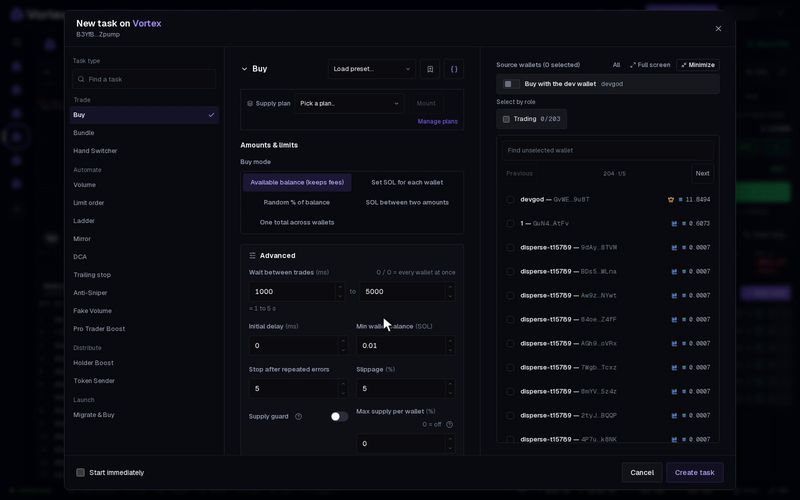
A ladder is a row of limit orders at evenly spread levels. A sell ladder sells a part at each level as the market cap rises. A buy ladder buys a part at each level as it falls. You take profit, or build a position, step by step instead of all at once.
Set it up#
- Open the token's terminal and click New task on the Tasks panel.
- Under Task type, pick Ladder. It is in the Automate group.
- Choose Buy or sell. The default is Sell.
- Enter From (market cap) and To (market cap) in USD.
- Set Number of orders: how many levels from the first to the last, both included. Default 4, at least 2.
- For market cap levels, pick the Spacing: Even dollars or Same % step.
- Choose the Amount type and the Amount per order.
- Pick Wallets to use, then tick the wallets in the list.
- Click Create task, or tick Start immediately and click Create & start.
The form and the card work the same for every task: see How tasks run. The card's Orders section lists every level, its state and the live market cap.
How the levels work#
- A sell ladder sells when the market cap rises above each level. A buy ladder buys when it falls below each one.
- Each level trades once.
- Even dollars puts the same dollar gap between levels. From $100,000 to $400,000 with 4 orders gives $100k, $200k, $300k and $400k.
- Same % step puts the same percentage gap between levels. From $100,000 to $800,000 with 4 orders gives $100k, $200k, $400k and $800k.
- The task ends when every level has traded, or when Run for (Advanced) runs out.
Settings that matter#
- Amount type — for a buy: SOL per wallet or % of wallet balance. For a sell: % of tokens held or % of supply.
- Amount per order — the amount for each wallet at each level.
- Wallets to use — the default, Take turns, uses one wallet per level, the next one each time. Every wallet makes all the ticked wallets trade at every level.
- Slippage (Advanced) — how far a fill may move from the quote. Default 5 %.
With % of tokens held, each level sells that share of what the wallet holds at that moment. It is not a share of what it held at the start. So one wallet selling 25 % at each of 4 levels still keeps about a third of its tokens at the end.
Each level checks where the market cap is now. If you start a sell ladder from $100,000 while the market cap is $250,000, the $100k and $200k levels sell right away. A buy ladder does the same with levels above the market cap. See Real funds & confirms.
Each level is a real trade. It pays network fees and the platform fee, may fill a little past its level (within your Slippage), and cannot be undone.
All settings#
Every option on the Ladder form
ladder- Buy or sellchoicedefault SellBuySell
- From (market cap)numberrequiredThe first order level. Sell when market cap rises above each level, or buy when it falls below.
- To (market cap)numberrequiredThe last order level. Must be higher than the starting market cap.
- Number of ordersnumberdefault 4How many limit orders between From and To, both included.
- Spacingchoicedefault Even dollarsEven dollarsSame % step
- Amount typechoicedefault SOL per walletUse this amount type for every order.SOL per wallet% of wallet balance
- Amount per ordernumberrequiredAmount per wallet for each order, using the amount type above.
- Wallets to usechoicedefault Take turnsChoose which selected wallets trade each time.Take turnsRandom walletBiggest holderSmallest holderRichest walletEvery wallet
- Start delaynumberdefault 0 msWait this long before the first trade.
- Run fornumberoptionalEnd this long after the start delay; empty = until done.
- Max supply per walletnumberdefault 0 %0–100 %Hard ceiling: a wallet already holding this % of supply is skipped instead of buying more. 0 = off.
- Slippagenumberdefault 5 %0.01–50 %