Bundle
Buy from many wallets at the same moment in one Solana bundle, on a live token or as part of a launch.
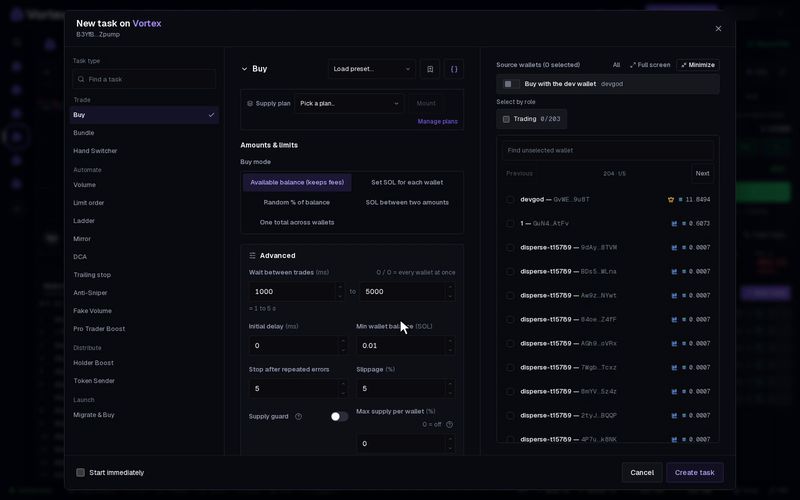
Bundle buys your token from many wallets at once. All the buys go in one Jito bundle, so they land in the same block, or none of them land. Use it for a strong first buy at a launch, or to enter a live token from many wallets together. Solana only.
Before you start#
- Each wallet holds the SOL it will spend, plus 0.008 SOL and 2% of its amount for its token account and fees.
- The first wallet in the bundle also pays the Jito tip.
- A wallet that cannot pay its full amount buys what it can. A wallet that cannot pay at all is left out.
Set up Bundle on a live token#
- Open the token in the terminal. In Tasks, press New task.
- Under Task type, pick Bundle.
- Pick the wallets, and type each wallet's amount under Per-wallet SOL.
- Read the check under the wallet list (see below). Fix anything it asks for.
- Press Create task, then Start.
There is no Preview for this task.
The wallet check#
Under the wallet list, the app checks whether your wallets fit in one bundle. It first shows Checking wallet capacity..., then one of these:
- "N wallets / T transactions. No lookup table needed." — all set.
- "Platform lookup table selected." or "Your lookup table selected." — the wallets fit with the help of a lookup table.
- "N wallets need more accounts added to your lookup table." — press Extend lookup table.
- "N wallets need a token-specific lookup table." — press Prepare lookup table.
- "This selection does not fit. Keep at most N of these wallets, in this order." — remove wallets until it fits.
Making or growing a lookup table costs a little SOL in rent and fees, paid by a selected wallet. If none has enough, you see Fund a selected wallet for table rent and fees. Add SOL, then press Retry check.
The check confirms that the amounts fit. It does not check that each wallet has the SOL.
How many wallets#
- Up to 10 wallets in the default mode.
- Up to 24 wallets in Buy (ATAs pre-made) mode, once their token accounts exist.
- Fewer, if the wallets have never bought this token. The check tells you the exact number.
Bundle at a launch#
You can add Bundle on the Tasks step of the launch wizard. With Auto-start at launch on, it reads included in the atomic launch bundle. The token is made and your wallets buy in the same bundle. If the bundle does not land, the token is not made either.
- A bundle that rides the launch must use the default Mode.
- It takes 4 to 8 wallets, depending on the lookup table.
- Tick Allow automatic lookup-table setup for up to 20 buyers. The dev wallet then pays the table's rent and fees, up to the amount shown. The table is set up before you press Create. If you never launch, it is closed after a day and the rent goes back to the dev wallet.
See Tasks step.
Key settings#
- Per-wallet SOL — the SOL each wallet spends.
Under Advanced:
- Mode — Buy and set up token accounts (the default), Set up token accounts only, or Buy (ATAs pre-made). ATAs are token accounts. Setting up the token accounts first lets more wallets fit in the later buy.
- Token accounts per transaction — only in Set up token accounts only. Default 8, up to 12.
- Jito tip — default 0.001 SOL.
- Slippage — default 5%.
- Pre-swap slippage — only for a token priced in a stock or USDC. The task first swaps each wallet's SOL into that asset. If the bundle fails, it swaps it back to SOL. Default 1%.
- Fire if already live — on by default. The bundle fires at once if the token already trades. When off, it waits until the token's pool next changes, for example at the launch or the next trade.
- Max wait — how long to wait for the token to go live. 0 (the default) waits with no limit. At the limit, the task ends without buying.
- Confirmation time limit — how long to wait for the bundle to land.
Every wallet buys at the same moment with real SOL. Each buy pays the network fee and the platform fee, and the first wallet pays the tip. Many buys in one block move the price a lot, so the last wallet in the bundle pays the most per token. See Real funds & confirms.
Troubleshooting#
- "no wallet can pay for its buy" — no wallet has enough SOL. Add SOL and start again.
- "did not land" — the bundle did not get in, and nothing was bought. Raise the Jito tip and try again.
- "Select at most N launch bundle buyers" — at a launch, remove wallets until you are at or below N.
Every setting#
Every option on the Bundle form
solana onlybundle- Per-wallet SOLper-wallet amountrequiredOne atomic bundle. Wallet and lookup-table capacity is checked for the selected token before execution.
- Modechoicedefault Buy and set up token accountsBuy and set up token accountsSet up token accounts onlyBuy (ATAs pre-made)
- Token accounts per transactionnumberdefault 81–12
- Jito tipnumberdefault 0.001 SOL
- Slippagenumberdefault 5 %0.01–50 %
- Pre-swap slippagenumberdefault 1 %0.01–50 %Only on a curve quoted in a stock or USDC: each wallet's SOL amount is swapped to that asset through Jupiter right before the bundle (what a wallet already holds is spent first). If the bundle does not go through, the swapped asset goes back to SOL at this slippage.
- Fire if already livetoggledefault on
- Max waitnumberdefault 0 s
- Confirmation time limitnumberdefault 30000 ms1000–120000 ms