Snipe
Buy your own new token from many wallets as soon as your launch goes live.
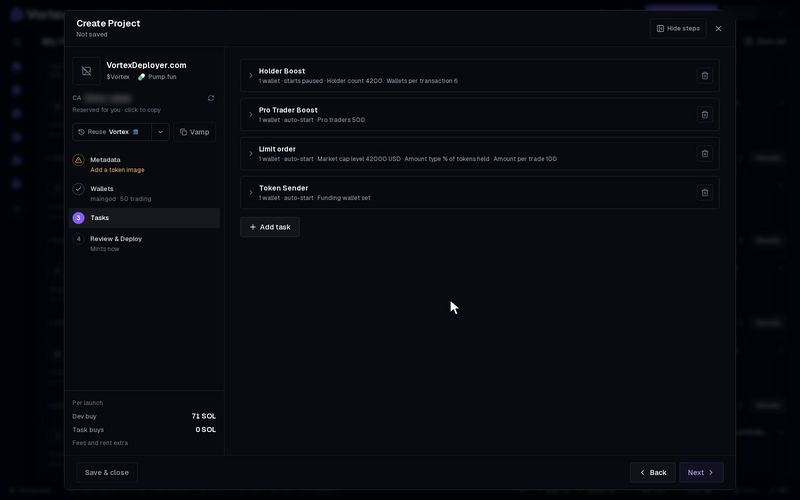
Snipe is a Buy for your own launch. Its wallets all buy at once, as soon as the new token is live. You add it while you launch, so it is not in New task.
Before you start#
- You are launching a token with the launch wizard or with Quick deploy.
- You added trading wallets on the wizard's Wallets step. The dev wallet does not count as one.
- Each wallet holds SOL (ETH on Robinhood Chain) for its buy, plus fees.
Add a Snipe to a launch#
- In the launch wizard, go to the Tasks step.
- Pick Snipe in the task list. If the step already has a task, press Add task first.
- Pick the wallets and a Buy mode. The modes work the same as in Buy.
- Optional: check your share of the token with the supply calculator (below).
- Keep Auto-start at launch on. The Snipe then buys as soon as the token is live. If you turn it off, the task waits for you to start it.
- Finish the wizard and press Create.
To add a Snipe to every Quick deploy, put it in a preset's launch tasks. See Quick deploy.
Key settings#
Snipe has the same settings as Buy, minus the waits. Every wallet buys at once.
- Buy mode — how much each wallet spends. The default, Available balance (keeps fees), spends nearly all of each wallet's SOL.
- Min wallet balance — wallets with less are skipped. Default 0.01 SOL.
- Slippage — default 5%.
- Supply guard and Max supply per wallet — the same limits as in Buy.
- Buy with the dev wallet — off by default, so the dev wallet does not snipe.
The supply calculator#
The Snipe card can show what share of the token's supply your buys would get.
- Optional: type a Max supply in %. The launch then refuses a plan above it.
- Press Calculate supply %. The card lists each wallet's share and the running total.
- If a wallet would go past your max, press Apply capped amounts to trim it.
- After you change an amount, press Recalculate supply %.
The figure is a best case. It assumes no one else buys between your wallets. If another buyer lands first, you get less of the supply for the same SOL, never more. It is exact for pump.fun and pons. On other launchpads it is an estimate.
When the launch goes live, the Snipe spends real SOL from every wallet. A buy that lands cannot be undone. Each buy pays the network fee and the platform fee. See Real funds & confirms.
On Solana, a Bundle with Auto-start at launch joins the launch itself. Its buys land together with the token's creation, or the launch does not happen. A Snipe buys right after the token is live, so another buyer may land first.
Every setting#
Every option on the Snipe form
sniper- Buy modechoicedefault Available balance (keeps fees)Available balance (keeps fees)Set SOL for each walletRandom % of balanceSOL between two amountsOne total across wallets
- Per-wallet SOLper-wallet amountrequiredSet a SOL amount beside each selected wallet. Wallets with no amount are skipped.
- Total to spendnumberdefault 0.1 SOLThe one amount the round places across the picked wallets. A wallet that cannot carry its share takes what it can and the rest moves to the others.
- Splitchoicedefault Equal sharesEqual sharesRandom sharesWeighted by balance
- Walletschoicedefault Every funded walletWho takes part. Ranked picks keep the top N (below); Every funded wallet ignores N.Every funded walletRandom pickRichest firstPoorest firstHolding the mostHolding the least
- How manynumberdefault 00 = all of them.
- Minimum buy amountnumberdefault 0.01 SOL
- Maximum buy amountnumberdefault 0.1 SOL
- Min %numberdefault 10 %0.01–100 %
- Max %numberdefault 50 %0.01–100 %
- Min wallet balancenumberdefault 0.01 SOL
- Stop after repeated errorsnumberdefault 5
- Slippagenumberdefault 5 %0.01–50 %
- Supply guardtoggledefault offAbort the round mid-flight if OUTSIDE buyers grab more than the allowed % of supply (anti-snipe). pump.fun curves only.
- Max supply changenumberdefault 5 %0–100 %Outsiders’ holdings may grow at most this % of the curve’s sold supply while your round fires.
- Max supply per walletnumberdefault 0 %0–100 %Hard ceiling: a wallet already holding this % of supply is skipped instead of buying more. A mounted supply plan sets it. 0 = off.