Fake volume
Add trading volume to a Solana token with two of your wallets, while most of the SOL comes back.
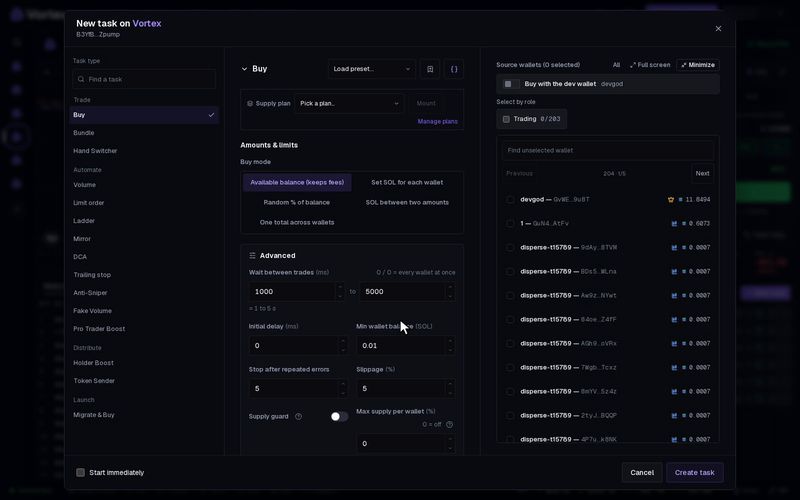
Fake Volume makes your token's volume go up without you keeping a position. Two of your wallets buy and sell through short-lived wallets, and most of the SOL returns each round. Solana only.
What happens on-chain#
The task works in cycles. Each cycle is five transactions sent as one Jito bundle, so they all land together or none do.
- Your two wallets send SOL to two new temporary wallets. The task makes fresh ones every cycle.
- Each temporary wallet buys the token. Then it passes the tokens to a second temporary wallet.
- Each second wallet sells all the tokens and sends the SOL back to your wallet.
- The temporary accounts are closed. Any SOL left in them is sent back to your wallets after the bundle lands.
On the chart, each cycle shows two buys and two sells from four new wallets. The SOL spent on the buys counts as the volume. When the cycle ends, no one holds the new tokens and your wallets have their SOL back, minus the costs.
Before you start#
- You have exactly two wallets with SOL on Solana. Each keeps 0.005 SOL that the task never spends.
- The token is live and can be traded.
Set up Fake Volume#
- Open the token in the terminal. In Tasks, press New task.
- Under Task type, pick Fake Volume.
- Type a Target volume in USD.
- Set Max SOL per cycle.
- Pick exactly two wallets.
- Press Create task, then Start.
There is no Preview for this task. It runs for real from the start.
Key settings#
- Target volume — the task stops when the printed volume reaches this many US dollars. Required.
- Max SOL per cycle — the most SOL both wallets put into one cycle together. Default 0.1 SOL, at least 0.036 SOL. The task splits it at random between your two wallets.
- Max cycles — stop after this many cycles. 0 (the default) runs until the target is met.
- Shortest wait between cycles and Longest wait between cycles (under Advanced) — a random wait between cycles. Default 1000–5000 ms (1 to 5 seconds).
- Jito tip (under Advanced) — paid once per cycle to get the bundle included. Default 0.001 SOL.
- Priority fee (under Advanced) — an extra fee per transaction, in SOL. Default 0.
- Slippage (under Advanced) — default 5%.
- Stop after repeated errors (under Advanced) — default 10.
What it costs#
Most of the SOL you put into a cycle comes back. Each cycle costs:
- the Jito tip,
- the network fee on five transactions, plus any priority fee,
- the trading fee the pool takes on each buy and each sell,
- a small loss from the price move between the buy and the sell.
The temporary wallets are not your saved wallets, so their trades do not pay the platform fee.
Every cycle spends real SOL, and a landed cycle cannot be undone. The volume comes from your own money trading with itself. It adds no lasting holders and no real buyers. Fees add up fast, so set Max cycles or a modest target, and watch the first few cycles. See Real funds & confirms.
Fake Volume leaves no holders behind. To raise the holder count, use Holder boost.
Troubleshooting#
- "requires EXACTLY 2 wallets" — edit the task and pick two wallets, no more and no fewer.
- "wallets cannot fund a cycle" — a wallet has too little SOL above its reserve. Add SOL, or raise Max SOL per cycle if it is close to 0.036.
- The task failed with "none landed" — no bundle got in. Raise the Jito tip and try again.
Every setting#
Every option on the Fake Volume form
solana onlyfakevolume- Target volumenumberrequiredStops once cumulative printed volume reaches this. Needs EXACTLY 2 wallets.
- Max SOL per cyclenumberdefault 0.1 SOLEach of the two Jito legs costs ≈0.016 SOL of fixed overhead (temp wallet, ATA + accumulator rent, fees), plus the tip on the first. The engine refuses a cycle below ≈0.036 SOL at the default tip.
- Shortest wait between cyclesnumberdefault 1000 ms
- Longest wait between cyclesnumberdefault 5000 ms
- Slippagenumberdefault 5 %0.01–50 %
- Jito tipnumberdefault 0.001 SOL
- Priority feenumberdefault 0 SOL
- Max cyclesnumberdefault 00 = until target met.
- Stop after repeated errorsnumberdefault 10
- Confirmation time limitnumberdefault 30000 ms1000–120000 ms