Token Sender
Send a token from your wallets to new or existing wallets, a random share of the supply each.
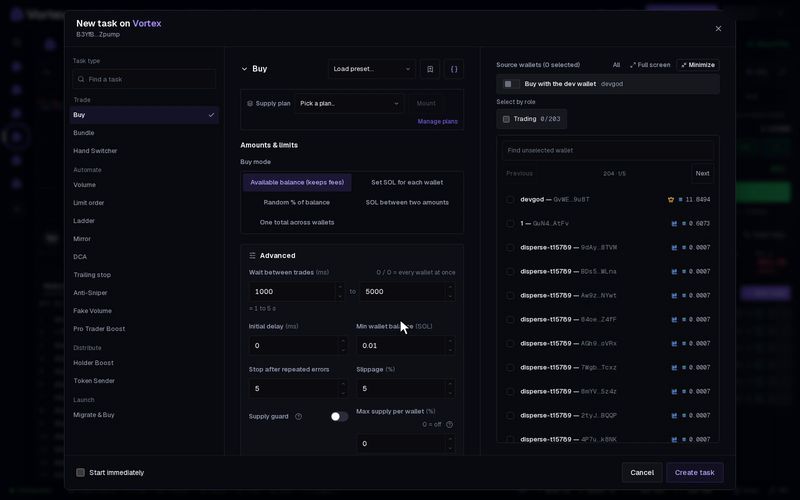
The Token Sender takes a token from some of your wallets and spreads it over other wallets. Each receiving wallet gets a random share of the token's total supply, between a minimum and a maximum you set. Use it to split a large holding into many smaller ones. It sends tokens directly; it does not buy or sell.
Before you start#
- The wallets you send from must hold the token.
- One wallet pays for the transfers: the Funding wallet. On Solana it pays network fees, the SOL for each new wallet and the rent for each new token account. Make sure it has enough SOL.
Set it up#
- Open the token's terminal and click New task on the Tasks panel.
- Under Task type, pick Token Sender. It is in the Distribute group.
- Pick Destinations:
- Auto-create — makes as many new wallets as the tokens allow.
- Set count — makes up to Wallet count new wallets (4 by default).
- Existing wallets — sends to wallets you already have. Pick them under Receive tokens in.
- Set Per wallet: the smallest and largest share each wallet gets, in % of supply. Default 1–2 %.
- For new wallets, set Fund each new wallet: the SOL each one gets so it can trade later. Default 0.01 SOL.
- Choose a Funding wallet, or leave it on Automatic · first eligible source to use the first sending wallet.
- In the wallet list, tick the wallets to send from.
- Click Create task. On the new card, open Preview to see the plan and whether the funding wallet has enough. Then click Start.
The form and the card work the same for every task: see How tasks run.
What happens#
- With Auto-create, each sending wallet keeps sending until what it has left is less than the minimum share. So almost all the tokens in those wallets move.
- With Set count or Existing wallets, the task stops early when the tokens run out.
- Tokens go out in small groups, a few wallets per transaction: Batch size, 3 by default, up to 6. Groups are 500 ms apart (Delay between batches).
- New wallets are saved in your Wallets with the Trading role. You hold their keys, like any other wallet.
- Auto-create stops with an error if it would need more than 500 new wallets. Raise Per wallet to need fewer.
What it costs#
- No platform fee: sending tokens is not a trade.
- Network fees for every transaction.
- For each new wallet: the Fund each new wallet amount, plus about 0.002 SOL of rent for its token account.
- On Robinhood, Fund each new wallet is in ETH (0.0005 by default), and each sending wallet pays the gas for its own transfers.
Tokens that arrive in a wallet stay there. The task cannot pull them back. To move them again, you need another Token Sender or a sell. The SOL sent to new wallets is still yours: get it back with Collect funds. See Real funds & confirms.
Open Preview on the card first. It sends nothing. It shows how many wallets the plan creates, how many tokens each gets, and how much SOL the funding wallet needs.
All settings#
Every option on the Token Sender form
tokendisperser- Destinationschoicedefault Auto-createAuto-createSet countExisting wallets
- Min per walletnumberdefault 1 %0.01–100 %Percentage of the token’s total supply.
- Max per walletnumberdefault 2 %0.01–100 %
- Fund each new walletnumberdefault 0.01 SOL
- Wallet countnumberdefault 4Creates up to this many wallets, limited by available tokens.
- Receive tokens inwalletsrequiredChoose the wallets that receive tokens.
- Funding walletwalletoptionalPays wallet funding, token-account rent and transaction fees. Automatic uses the first eligible token source.
- Batch sizenumberdefault 3 /tx1–6 /tx
- Delay between batchesnumberdefault 500 ms
- Delay jitternumberdefault 0 %0–90 %Randomize batch spacing ±% for organic spread; 0 = fixed.
- Stop after repeated errorsnumberdefault 10
Troubleshooting#
- "Token Sender needs more than 500 fresh wallets" — your share per wallet is too small for the amount you hold. Raise Per wallet.
- The task sent to fewer wallets than you set — the sending wallets ran out of tokens. Lower Per wallet or add a sending wallet that holds more.