Collect funds
Pull SOL or ETH out of many wallets into one address, and choose what each wallet keeps.
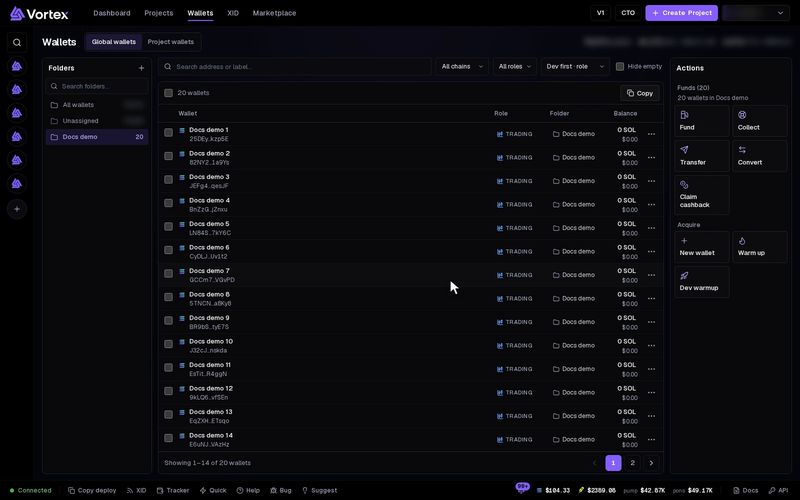
Collect takes the SOL (or ETH) out of many wallets and sends it to one address. Use it to get your money back after a launch or a task.
Collect moves real funds. Funds sent to a wrong address are gone. Check the destination address before you confirm. See Real funds & confirms.
Before you start#
- Collect moves SOL or ETH only. To turn tokens into SOL first, sell them, or use Convert.
- One run collects from one chain. If the view has both chains, pick one under Chain.
Pick a method#
Open Wallets and press Collect in the Actions panel. Collect funds opens. Pick the Method:
- Sweep — one transfer per wallet, straight to your destination. Works on both chains.
- Mixer — one Husher order per wallet. The exchange pays your destination, so the wallets are not linked to it by a direct transfer. Solana only. Pick the Exchange. Wallets with less than 0.15 SOL are skipped. Husher takes its own fee.
Collect, step by step#
- Destination wallet — paste the address that receives the funds, or press My wallets… to pick one of yours. If you pick one of your wallets, it is not collected from.
- Select Wallets — tick the wallets to collect from, or press Select All. Nothing is ticked at first. Only wallets that hold funds can be ticked.
- Optional, beside each ticked wallet:
- The amount box — blank (All) takes everything. Max fills in the wallet's balance.
- Keep (Sweep only) — how much this wallet keeps.
- Optional, under Advanced:
- Leave behind (Sweep only) — how much every wallet keeps. A Keep figure beside a wallet wins. Blank or 0 takes everything down to the small floor.
- Delayed collection — each wallet waits a random time between Min (minutes) and Max (minutes) before it goes. The default is 1 to 3 minutes, up to 1440. Wallets then go one at a time. Roll again picks new random waits. With Mixer, this sets how long each order is held instead.
- Press Collect funds (or Start delayed collection, or Collect via Mixer).
- Confirm collection shows the full address, the wallets and the amount. Read it, then press Collect now.
The app warns: do not withdraw directly to a CEX, such as Binance or Coinbase. Collect to a wallet you control first, then send it on to the exchange. A bonding curve address is also refused.
What stays behind#
Each wallet keeps a small floor, about 0.00089 SOL, for rent. Each transfer also pays a small network fee. There is no platform fee on Collect.
Follow the run#
The window shows Collection in progress, with Success, Failed and Skipped counts, a line per wallet, and Total collected. Closing the window does not stop the run, because it is a task. To keep watching it, click the minimize button (Minimize) instead. The window then waits in the bottom bar as Collect funds, and one click opens it again.