Wallet warm-up
Give new wallets a trading history with real small trades, or give a dev wallet a history of real launches.
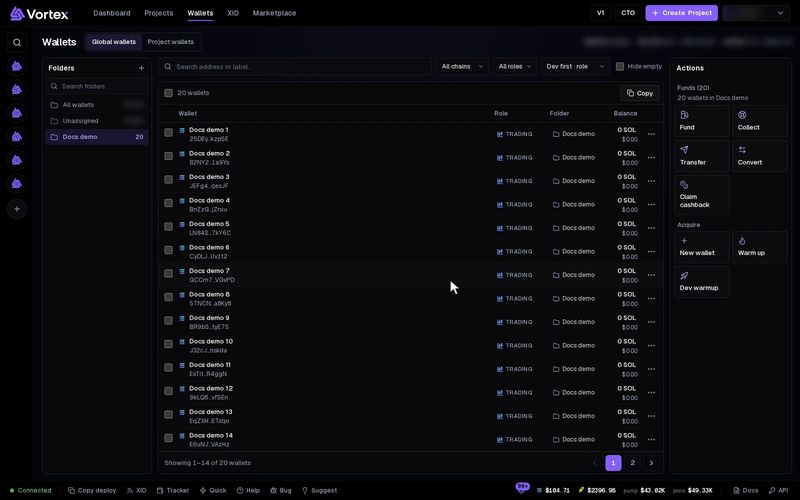
A brand-new wallet with no history stands out. A warm-up makes real small trades with your wallets, so they have a history before you use them. Dev warmup does the same for a dev wallet, with real token launches.
Every warm-up trade is a real buy or sell. It pays the platform fee and network fees, and a coin can lose value while a wallet holds it. A dev warmup launches real tokens. Keep enough SOL or ETH in each wallet. See Real funds & confirms.
Warm up wallets#
- Open Wallets. Tick the wallets to warm up, or tick none to use every wallet in view. All of them must be on one chain.
- Press Warm up in the Actions panel. Warm up wallets opens.
- Pick the Tokens to warm on:
- Auto (warmup cache) — the app picks a different live coin for each buy: a pump.fun coin on Solana, a pons coin on Robinhood. The box under it shows how many coins can be picked right now.
- One token — every trade uses one coin. Paste its Token mint (on Robinhood, Token address). See mint address.
- Set Buy per wallet (SOL), Hold time (seconds), Trades per cycle and Cycles (0 = until stopped). Wallet warm-up task explains each setting and how a run trades.
- Press Start warmup. A confirm shows how much each buy spends. Confirm to start.
The summary shows Wallets, Each buy and Trades per wallet.
Stop a warm-up#
A warm-up runs as a task. To stop it, open Warm up again. Running warmups lists your runs. Click one to open its task card, then press Stop there.
Dev warmup#
Dev warmup gives one dev wallet a history of real launches. It needs the highest tier. Below that tier the button is greyed out and shows Highest tier required.
- Press Dev warmup in the Actions panel.
- Pick the Chain: Solana or Robinhood.
- Tick the Dev wallet (exactly one).
- Set Tokens to launch (1–20). The default is 3.
- Optional: tick Custom metadata to launch one token with your own image (PNG, JPG, GIF or WEBP, up to 5 MB), name, symbol and links. Without it, each Solana token copies the look of a recent pump.fun coin, and each Robinhood token gets a new name.
- Check the cost in the summary. Press Start dev warmup and confirm.
Recent warmups lists your last runs.
What it costs#
The dev wallet pays for every launch.
- Solana — about 0.028 SOL per token (Estimated cost). Each token is made on Meteora, bought out in one buy, then moved to a trading pool. See migration.
- Robinhood — each token gets a 0.0000011 ETH bid from the dev wallet. Allow about 4 minutes per token. The Spend cap is 0.0015 ETH per token, gas included. Bid money that is not used comes back. Listings and badges on outside sites are not guaranteed.