Create & import
Make new wallets, or bring in wallets you already own, with a role, a label and a folder.
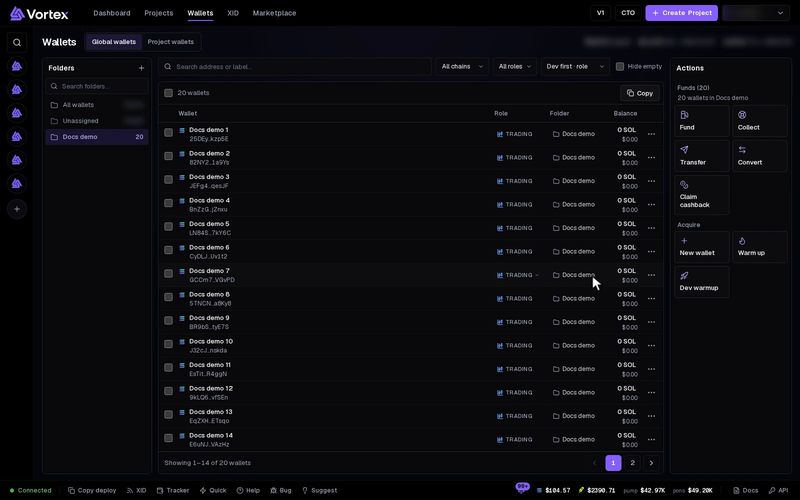
New wallet makes fresh wallets for you, or imports wallets you already own. Make wallets here before you fund them or use them in a launch.
Where new wallets go#
- In Global wallets, new wallets join your wallet pool. If a folder is open, they go into that folder.
- In Project wallets, they are made inside the open project. You can still use them in other projects.
Make new wallets#
- Open Wallets and press New wallet in the Actions panel.
- Pick Generate.
- Pick the Chain: Solana or Robinhood. This choice only shows when more than one chain is on. A wallet lives on one chain only.
- Enter How many. There is no upper limit.
- Set the Role, or press one of the role buttons. The default is
trading. See wallet role. - Fill in Label (optional). With several wallets, each one gets a number: "dev wallet 1", "dev wallet 2", and so on.
- Press Generate (it shows the count, for example Generate 20).
The app keeps each private key encrypted. It never shows a key unless you export it.
A new wallet holds no SOL. Making one costs nothing. To use it, send it funds with Fund wallets.
Import wallets you own#
- Press New wallet and pick Import.
- Pick the Chain.
- Paste your keys into Secret keys, one per line:
- Solana: a base58 key (the kind Phantom exports), a byte array like
[1,2,…], or base64. - Robinhood: a key that starts with
0x(the kind MetaMask or Rabby exports).
- Solana: a base58 key (the kind Phantom exports), a byte array like
- Set the Role and the Label (optional). Put
{n}in the label to choose where the number goes. - Press Import (with the count, for example Import 5).
If a line is not a valid key, the app names it, for example line 2: …. All the other keys still import.
If you import a key you deleted before, that wallet comes back.
Import from a file#
Press Import from file above the key box. It takes a .json or .txt file:
- A wallet file that you saved with Download file when you exported keys. Each wallet keeps its chain, role, label and folder. Missing folders are made for you. In a project, folders are ignored.
- A plain text file with one key per line. The keys fill the box, then you pick the chain, role and label.
The window sums up a wallet file before anything is saved. Remove file clears it. The button then reads Import N from file. If one row in a wallet file is bad, nothing from that file is saved.
A wallet you already have keeps its key. It takes the role, label and folder from the file.
A key you import is only as safe as the place it came from. If someone else ever saw it, they can still empty the wallet. When in doubt, generate a fresh wallet here.
Options#
- Chain — Solana or Robinhood. Shown only when more than one chain is on.
- How many — at least 1, no upper limit.
- Role — default
trading. Lowercase letters, digits and_, up to 32 characters. - Label (optional) — up to 120 characters. Several wallets are numbered;
{n}sets where the number goes.