Convert tokens
Swap one token for another inside many Solana wallets at once, for example SOL to USDC or a token back to SOL.
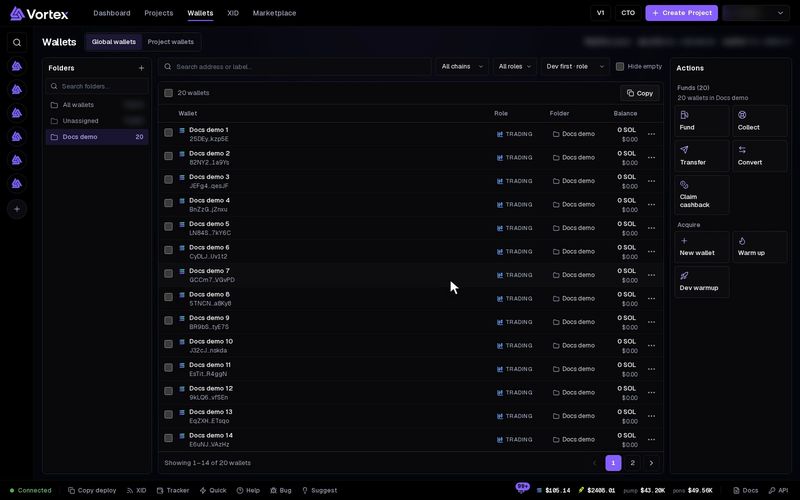
Convert swaps a token inside each wallet you pick, for example SOL to USDC. The new tokens stay in the same wallet. Convert works on Solana wallets only.
Convert spends real tokens and cannot be undone. The review step is free: no tokens move until you press Convert N wallets. There is no test mode. See Real funds & confirms.
Before you start#
- Open Wallets. Tick the wallets to convert, or tick none to use every Solana wallet in view.
- Each wallet needs a little SOL for network fees, even when it pays with another token.
Convert, step by step#
- Press Convert in the Actions panel. Convert tokens opens, set to SOL to USDC.
- Under You pay, press the token button and pick the token to pay with. The list shows only tokens your wallets hold, with how much they hold in total.
- Enter the Amount per wallet. Each wallet pays this amount. Or tick All available in each wallet.
- Under You receive, pick the token you want. If it is not listed, paste its mint address and press Find token by address.
- Press Review conversion. The app checks each wallet's trade. Stop after this wallet stops the check.
- Read the result: how many wallets are ready, Total you pay and Minimum you receive. Wallets that are not ready are skipped.
- Press Convert N wallets.
The You receive list has SOL, the stablecoins USDC and USD1, stock tokens, and every token your wallets hold. The arrow button between the two boxes switches them.
Changing a token, the amount, the wallets or a limit clears the review. Press Review conversion again.
Your wallets#
The Your wallets list beside the form shows each wallet's SOL and tokens.
- Tick or untick wallets here. Select all and Clear all work on the whole list.
- Click a token under a wallet to convert just that token from just that wallet.
- After the review, each wallet shows Receive ≈, its minimum and its price impact. A wallet that will be skipped shows Skipped: and the reason.
Follow the run#
When you press Convert N wallets, the window closes and the run opens as an operation called Token conversion. It is saved to your account, and it keeps going if you close the tab.
Each wallet is one line. Its status is Queued, In progress, Awaiting confirmation, Completed, Needs attention or Stopped.
- Stop remaining items stops the wallets that have not started. A wallet that already started may still finish.
- If a wallet needs attention, read its line first. Continue remaining items then starts the wallets that are still queued.
- Open wallet opens that wallet's own page.
Options#
Under Advanced:
- Slippage limit (%) — how far the price may move after the review before a trade is refused. Default 1, from 0.01 to 5. See slippage.
- Price impact limit (%) — a wallet whose trade would move the price more than this is skipped. Default 3, from 0.01 to 5.
Wrapped SOL back to SOL#
Claimed cashback arrives as wrapped SOL (WSOL). To turn it into plain SOL, pick WSOL under You pay and SOL under You receive. One WSOL gives one SOL. WSOL can only be converted to SOL.
Fees#
- There is no platform fee on Convert.
- Each wallet pays its own network fee.
- When you pay with SOL, a little SOL stays in each wallet for fees and token accounts.
- A wallet that has never held the token you receive needs a new token account. That costs about 0.002 SOL of rent, which stays in the wallet.
Troubleshooting#
- "No … in this wallet" — that wallet holds none of the token you pay with. It is skipped.
- "Wallet needs at least … SOL for transaction fees and token accounts" — send that wallet a little SOL with Transfer or Fund, then review again.
- "Price impact … exceeds your …% limit" — the trade is too big for the pool. Lower the amount, or raise Price impact limit (%).
- "Price changed since review" — press Review conversion again, then convert.