Mirror
Answer other traders on your token — sell when they buy, or buy when they sell.
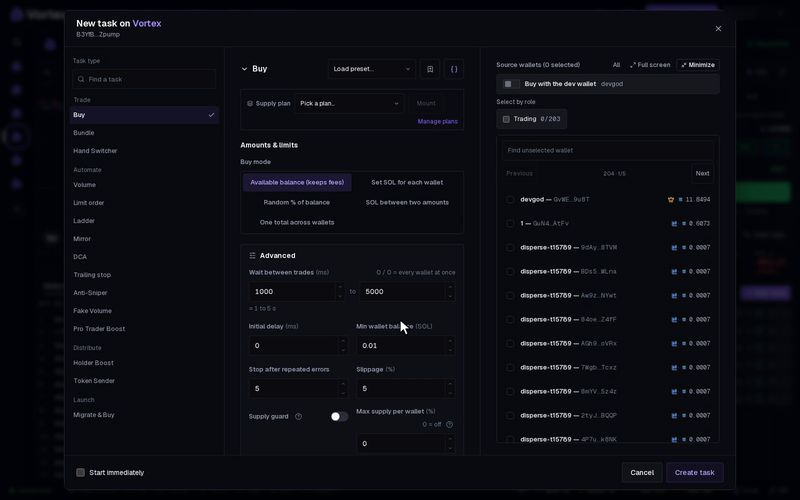
Mirror watches other people's trades on your token and answers each one. When someone buys, your wallets sell. Or, the other way round, when someone sells, your wallets buy. Use it to sell into real demand a little at a time, or to soak up sells and steady the price.
Set it up#
- Open the token's terminal and click New task on the Tasks panel.
- Under Task type, pick Mirror. It is in the Automate group.
- Set Your wallets: Sell when others buy (the default) or Buy when others sell.
- Choose the Amount type and the Amount per trade (see below).
- Pick Wallets to use, then tick the wallets in the list.
- Set limits: a Market cap range, a Budget (buys only) and Maximum trade rounds. All three are optional, but set at least one.
- Click Create task, or tick Start immediately and click Create & start.
The form and the card work the same for every task: see How tasks run. The card's Orders section shows the task and the live market cap.
How it answers#
- Only trades by other people count. Your own wallets are always ignored, and you can add more addresses to ignore.
- % of the trade sizes your answer from their trade. At 100 %, if someone buys 1 million tokens, a wallet sells 1 million tokens. If someone sells for 0.5 SOL, a wallet buys for 0.5 SOL. A wallet never trades more than it holds or can spend.
- Mirror waits a tenth of a second before it answers. If the trade is reversed in that time by one of about the same size, it does not answer. This skips most bots that buy and sell back at once.
- It keeps answering until you stop it, or until it reaches the Budget, the Maximum trade rounds or the Run for time.
Settings that matter#
- Amount type — the default is % of the trade. You can also pick a fixed size. For buys: SOL per wallet or % of wallet balance. For sells: % of tokens held or % of supply.
- Amount per trade — default 100 (%).
- Wallets to use — the default, Take turns, answers each trade with one wallet, the next one each time. Every wallet answers with all of them, each with the full amount.
- Market cap — trade only between a Minimum market cap and a Maximum market cap in USD. Empty = no limit.
- Budget — the most SOL the buys may spend in total. Empty = no limit. It does not limit sells.
- Maximum trade rounds — stop after this many answers. Empty = no limit.
- Trades to respond to (Advanced) — the share of trades to answer; the rest are skipped at random. Default 100 %.
- Combine trades below (Advanced) — for buys: save up small answers and buy once their total reaches this many SOL. 0 = answer each trade. It has no effect on sells.
- Ignore traders (addresses) (Advanced) — wallets whose trades Mirror should not answer.
With no limits, a buying Mirror buys into every sell, even a long dump. A selling Mirror can sell all your tokens into a buying rush. Before you start, give a buying Mirror a Budget. On either side, a Market cap range or Maximum trade rounds also sets a limit. See Real funds & confirms.
Each answer pays network fees and the platform fee, and fills at the market price within your Slippage. Many small answers cost more in fees than a few large ones. Trades that landed cannot be undone.
All settings#
Every option on the Mirror form
mirror- Your walletschoicedefault Sell when others buyBuy when others sellSell when others buy
- Trades to respond tonumberdefault 100 %1–100 %The share of external trades answered; the rest are skipped at random.
- Combine trades belownumberdefault 0 SOLCombine smaller trades before responding. 0 = respond to each trade separately.
- Ignore traders (addresses)addressesTrades by these addresses are never mirrored. Your own wallets are always ignored.
- Amount typechoicedefault % of the tradeSOL per wallet% of wallet balance% of the trade
- Amount per tradenumberrequireddefault 100Amount for each response, using the amount type above.
- Wallets to usechoicedefault Take turnsChoose which selected wallets trade each time.Take turnsRandom walletBiggest holderSmallest holderRichest walletEvery wallet
- Minimum market capnumberoptionalTrade only while the market cap is above this; empty = no floor.
- Maximum market capnumberoptionalTrade only while the market cap is below this; empty = no ceiling.
- BudgetnumberoptionalThe most the task may spend (buys) or receive (sells); empty = unlimited.
- Maximum trade roundsnumberoptionalStop after this many trade rounds. Leave empty for no limit.
- Start delaynumberdefault 0 msWait this long before the first trade.
- Run fornumberoptionalEnd this long after the start delay; empty = until done.
- Max supply per walletnumberdefault 0 %0–100 %Hard ceiling: a wallet already holding this % of supply is skipped instead of buying more. 0 = off.
- Slippagenumberdefault 5 %0.01–50 %