Close out
Sell what is left of finished launches, get back the rent and collect the SOL or ETH, for several projects at once.
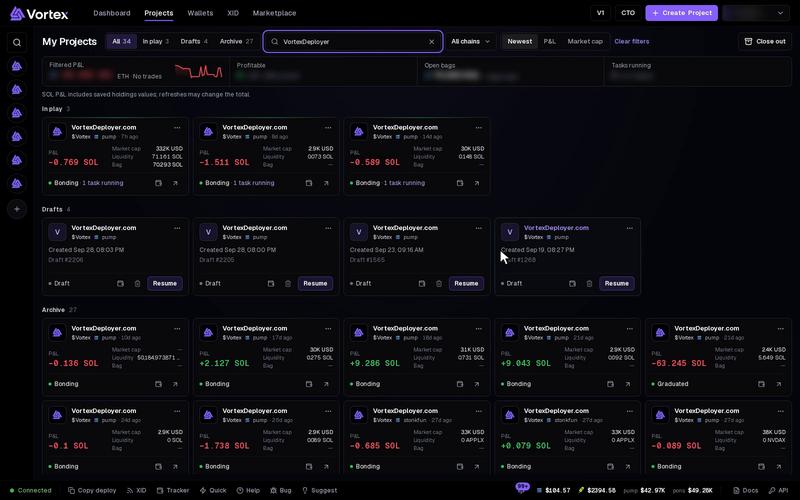
A finished launch leaves tokens in many wallets, empty token accounts that hold rent, and SOL or ETH spread over the project wallets. Close out cleans all of this up in one run, for as many projects as you pick.
Every wallet sells its whole bag for whatever the market pays at that moment. The sells cannot be undone. Use it only on launches you are done with. There is no test run. See Real funds & confirms.
What it does#
For each project you pick:
- Sells every bag. Every wallet that holds the token sells all of it, at the same time.
- Closes empty token accounts (Solana only). Their rent goes to your destination wallet.
- Collects the coin. A Collect funds task sends the project wallets' SOL or ETH to your destination wallet.
Projects run one after another.
Close out projects#
- Open Projects and click Close out. The button shows once you have a launched project. The Close out projects window opens.
- Pick the Chain. One run covers one chain.
- Tick the projects you are done with, or click Select all. Clear unticks them. Use Find project to search. Each row shows its stage, such as Bonding or Graduated.
- Check the Destination wallet. Everything goes there. It starts on the creator wallet of your newest launch.
- Click Close out N projects.
- Read the confirm window. It says what will sell, close and move, and to which wallet. Click Sell, close and sweep to start, or Back to change something.
The collect step runs as a task. To stop it, open the run's Operation details window from its notification, click Follow sweep task #N, and stop the task there. See Operation progress.
Watch the progress#
The window turns into a list, one line per project. Open a line to see what sold, which accounts closed, any errors per wallet, and the receipts.
- Run in background — hides the window while the run goes on. The Closeout chip at the bottom of the app brings it back.
- Stop remaining — stops the projects that have not started yet.
- Paused for review — a project needs a look. Open its line to see why. Continue remaining then starts only the waiting projects. Steps already done are kept.
- Done — closes the window when the run is over.
The run is saved to your account. If you close the window or the tab, open Close out again and click Resume closeout. You also get notifications that open the run on Operations.
Troubleshooting#
- No Close out button — you have no launched project yet.
- A wallet kept its tokens — open the project's line. It names the wallet and the error. You can sell what is left from the terminal.
- Accounts did not close on Robinhood Chain — that is expected. Only Solana has token accounts to close.