My profile
See your account at a glance and set up a username and password for browser sign-in.
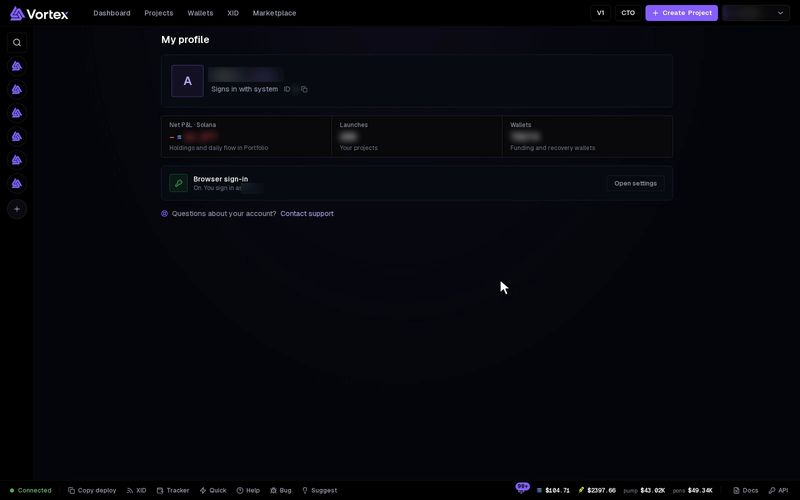
Your profile shows who you are signed in as, a few totals, and how you sign in. You can also add a username and password, so you can sign in from any browser, not only through Telegram.
See your profile#
Your account details are in two places:
- Account settings → Profile. Click your name at the top right, then Account settings. The first section shows Display name, Username (or "Not set"), Sign-in method and Account ID. This is also where you change your sign-in details.
- The My profile page, at the address
/myprofile. It has no menu link, so type the address after the site name.
The My profile page shows:
- Your name, and "Signs in with Telegram" or "Signs in with Password".
- Your user ID. Click it to copy it. Support may ask you for it.
- Net P&L — your trading result on the chain you last picked on Portfolio. P&L means profit and loss. Click it to open Portfolio.
- Launches — how many of your projects have a launched token. Click it to open Projects.
- Wallets — how many wallets you have. Click it to open Wallets.
- Browser sign-in — whether you can sign in with a username and password. Set up sign-in or Open settings takes you to the form.
Sign-in details#
Account settings → Profile is also where you add a username and password, or change them. Browser sign-in unlocks at the Silver fee tier. Until then, the form says "Password sign-in is off for this account; the operator enables it." The steps are on Sign in & accounts.
New sign-in details sign out every other browser and stop all your API keys. Make new keys afterwards if you use them.
Troubleshooting#
You cannot find My profile in the menu — It has no menu link. Type /myprofile after the site name.
"Password sign-in is off for this account; the operator enables it." — You have not reached the Silver tier yet. Keep signing in through Telegram, or ask Support.