P&L share cards
Make an image of your profit or loss on one token, or over a few days, to save or share.
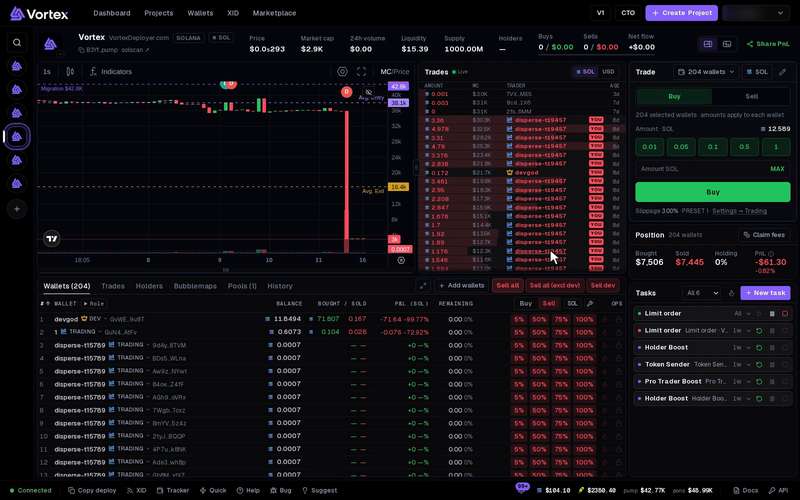
A share card is an image of your PnL. There are two. The terminal makes one for a single token. The Dashboard makes one for a time period. Making a card spends nothing.
Share a token's PnL#
- Open the token in the terminal.
- Press Share PnL at the top right.
- A window opens with the card for all wallets attached to this token.
- Set the options on the left.
- Press one of the buttons at the bottom.
The card shows your PnL in large type, then PNL %, INVESTED and POSITION. Below the card, one line of text sums up the same figures.
Your open bag counts at what selling it all now would bring back. That is after the price moves and the platform fee. It is not price times amount.
Options:
- Card background — Default, or Custom image to use a picture of your own.
- Show ticker/name — shows the token's ticker and name on the card.
- Show @username — puts your username on the card. It works only once you have a username. See Profile.
Buttons:
- Copy summary — copies the one line of text.
- Share to Discord — posts the card to the community Discord.
- Copy image — copies the picture, so you can paste it anywhere.
- Download PNG — saves the picture as a file.
The first time you press Copy image or Download PNG, the app also tries to post the card to the community Discord. If the card passes the rules below, it is posted and you see Shared to Discord. If not, nothing is posted and no message shows.
The Discord rules#
The server checks its own figures, not the card's. A card is posted only when:
- your profit on the token is $300 or more,
- it beats the best card already shared for this token, and
- you haven't shared a card in the last few minutes.
The Discord gets the picture only, with no text.
Share a period's PnL#
- Open the Dashboard.
- In the Performance panel, press Share.
- Pick the Card period: 1D, 7D or 30D. The default is 7D.
- Set Card background and Show @username.
- Press Copy or Download PNG.
This card counts only finished trades: money from sells minus money spent on buys, per day in UTC time. Tokens you still hold are not counted. It shows your chain's coin, or USD when the Dashboard shows both chains. This card is never posted to Discord.
Troubleshooting#
- "No wallets attached to this token" — attach wallets in the Wallets tab first.
- "PnL is still loading" — wait a few seconds and press Share PnL again.
- "Profit ($X) is below the $300 minimum to share" — the Discord share needs $300 profit or more. You can still copy or save the card.
- Share is greyed out on the Dashboard — you have no finished trades yet, or your balances are hidden. Show balances to share.