XID feed
Watch posts from chosen X accounts as they happen, with sounds and links to any token address they mention.
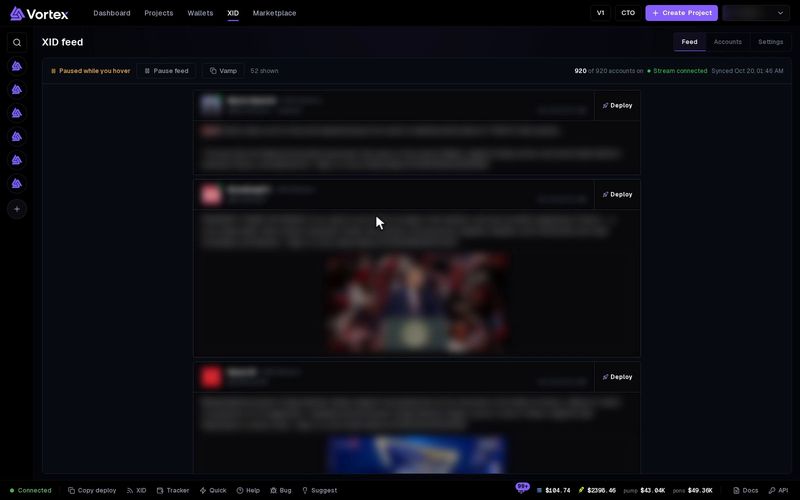
The XID feed shows posts and other activity from X accounts as it happens. When a post names a token, you can open it in the terminal or launch your own token from the post. Reading the feed spends nothing.
Open the feed#
- Full page — press XID in the menu at the top.
- Sidebar — on a computer, press XID in the bar at the bottom of the screen. The feed opens on the right side of any page. See "The sidebar" below.
The page has three views: Feed, Accounts and Settings.
Read the feed#
The newest events are at the top. The feed keeps up to 100. Each post shows:
- the account's picture, name, follower count and @handle,
- the kind of post, such as Retweet, Quote or Reply, and its time,
- the text and up to 4 pictures,
- a Deploy button on the right. See Deploy from XID.
When a post holds a Solana contract address, the card says CA detected and gets a coloured border. The address shows as a chip under the text. Click the chip to open that token in the terminal.
Other events show as short cards, such as "Followed Name (@handle)" or a profile change. Event details opens the raw details.
The toolbar#
- Live — new posts appear as they arrive.
- Pause feed / Resume feed — stops and starts the feed. While paused, new posts wait. Show N new adds them.
- Paused while you hover — the feed holds still while your pointer is over it. Move the pointer away to see new posts.
- Vamp — copies another token's look. See Deploy from XID.
The rest of the bar shows the number of events shown and accounts on. It also shows when the account list last updated.
Choose accounts#
Open Accounts. The list is shared by every user. You can't add an account from this screen.
- Search by @handle or name, or sort by Newest, On first or A–Z.
- Use the switch on a row to show or hide that account in your feed.
- Press the pencil on a row to pick its Event types and Notification sound. The row then shows Custom.
Turn all on and Turn all off change every account that matches your search.
Settings#
Changes save as soon as you make them.
- Turn on new accounts — new accounts show in your feed straight away. On by default.
- Global event filter — which kinds of events you see: Posts, Following, Profile updates, OCR, Translation. A personalized account uses its own choice.
- Pause on hover — on by default. This setting is for this device only.
- Sound on every post — plays a sound for each new post. On by default.
- Volume — 50 by default.
- CA detection — marks posts that hold a Solana address. On by default. Pick its Highlight colour and Alert sound.
- Custom notifications — type some handles, pick a sound and a border colour, then press Add notification.
The Deploy settings are on Deploy from XID.
Sounds play only for new events that arrive while the feed is open. A group of posts that arrive together plays one sound.
The sidebar#
- Drag its left edge to make it wider or narrower.
- Press Esc or the ✕ to close it.
- XID Feed in its head opens the full page. The gear opens Settings. The pause button pauses the sidebar.
- It shows the newest 50 events.
While the sidebar is open, it plays the sounds, and the full XID page stays quiet.
Troubleshooting#
- "No events yet" — no account is on, or none has posted yet. Turn some on in Accounts.
- No new posts appear — look for Paused or Paused while you hover in the toolbar.